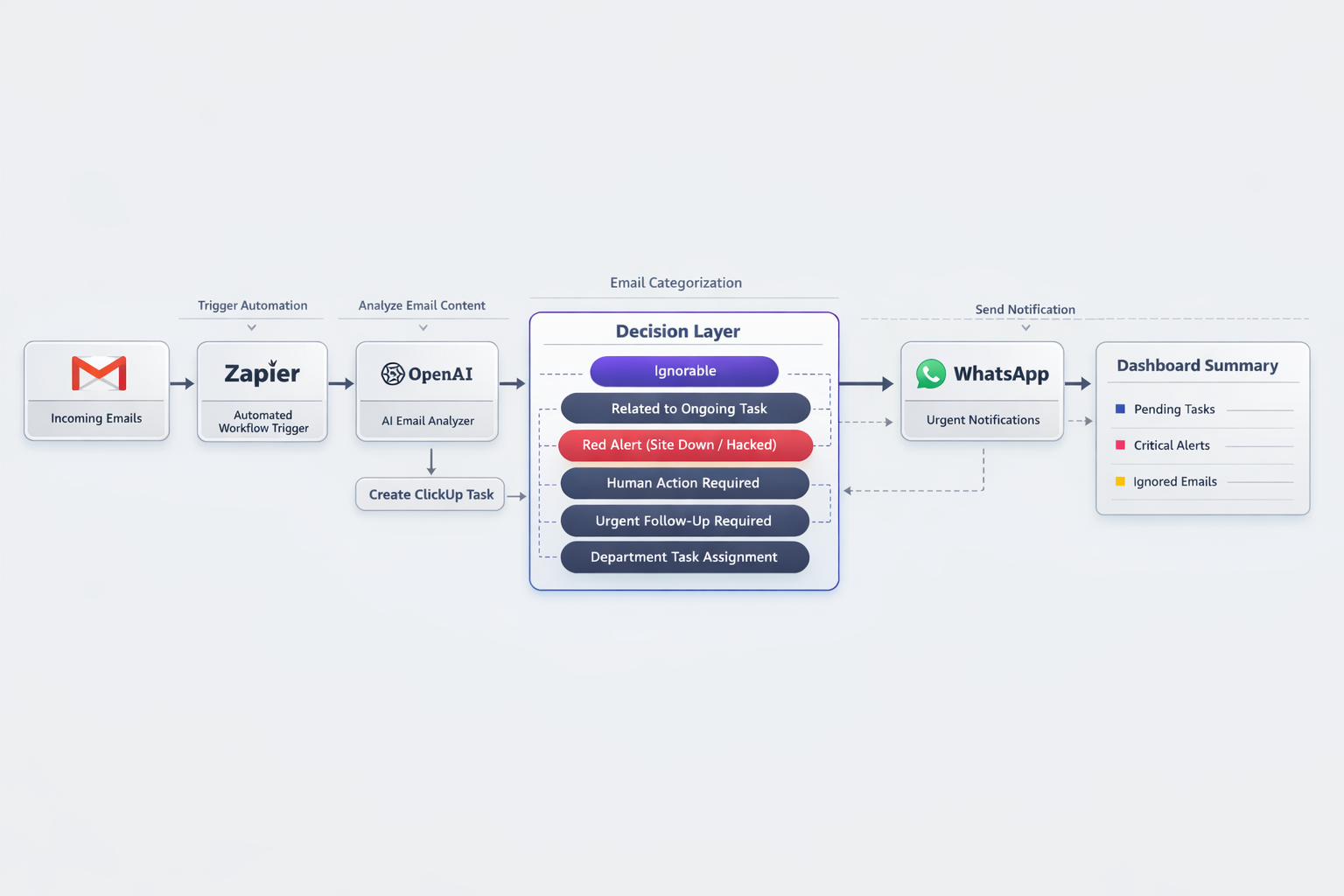
A centralized workflow automation system built for a high-volume website development agency, connecting Gmail, ClickUp, Zapier, WhatsApp, and OpenAI to turn a chaotic inbox into a structured, intelligent operations dashboard
The agency was running dozens of client websites at once, and every one of them was talking back — WordPress maintenance alerts, hosting notifications, security scans, and client emails, all landing in the same place, all day long.
This system sits on top of that noise. It reads every incoming email, figures out what it actually means, and decides where it should go — archived, added to an existing task, routed to a department, or pushed out as an instant alert. Instead of an inbox, the team gets a working dashboard.
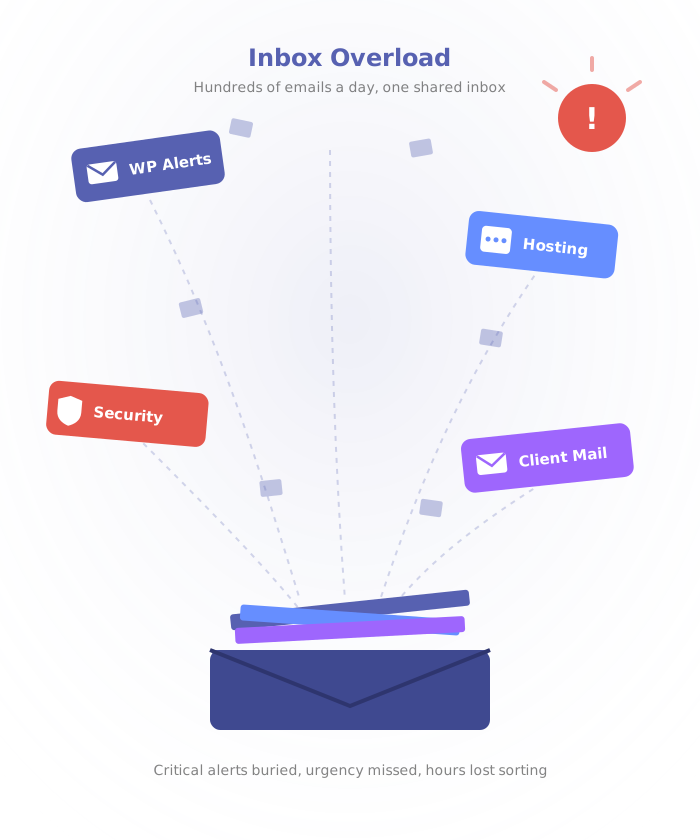
Hundreds of emails a day, and no reliable way to tell signal from noise
Inbox overload:
Critical alerts kept getting buried under low-priority updates
Manual sorting:
The team lost hours every week filtering and forwarding messages by hand
Missed urgency:
Security threats and downtime alerts sometimes sat unread for too long
No workflow bridge:
Emails never became tasks, so nothing was actually trackable
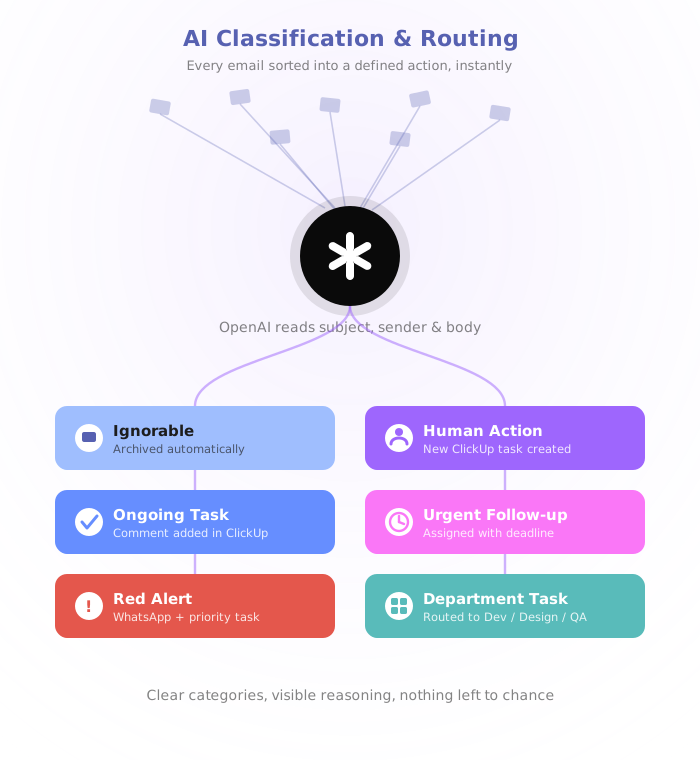
Led the system design and automation architecture:
Taught the system to read intent, not just keywords
- Every email is parsed for sender, subject, and body context
- OpenAI sorts it into buckets: ignorable, ongoing task, red alert, human action, urgent follow-up, or department task
- Classification happens in real time, before anyone opens the inbox
Turned every classification into an action
- Noise gets archived or labeled and never reaches the team
- Updates on live work drop in as comments on the existing ClickUp task
- Department tasks route straight to Dev, Design, QA, or Support
Made sure the urgent stuff never waits in a queue
- Site down, malware, or server failure triggers an instant WhatsApp alert
- A high-priority ClickUp task is created in the same moment
- The email is summarized into clear next steps for whoever picks it up
Replaced raw email with an operational view
- A structured daily summary covering alerts, tasks created, and pending actions
- Tasks auto-titled, summarized, prioritized, and tagged (security, hosting, client)
- Clear separation between noise and anything that actually needs a human
